Users
For users, the view varies depending on your permissions. If you are an admin, you can view all workspaces and manage them as well. Other users can only view users in their workgroup.
Workspaces
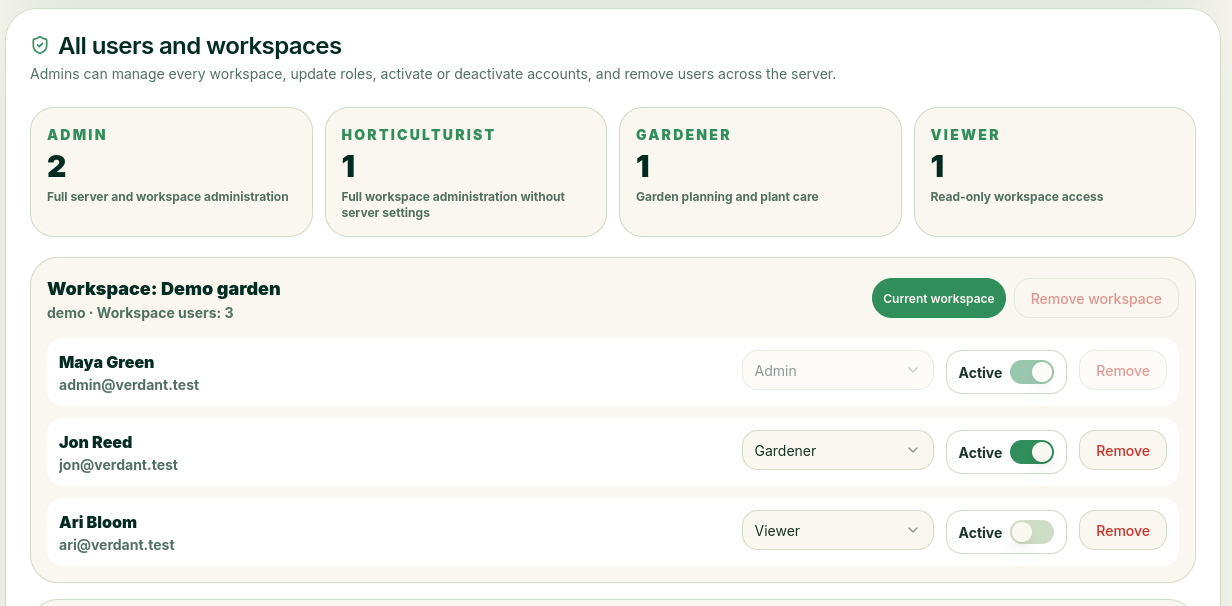
When deleting
If you delete a workspace, everything associated with it will be lost.
User Groups
There are different user groups with different permissions
- Admins: Full access to everything.
- Horticulturist: Almost like an admin, but cannot change server settings and can only manage their own workspace.
- Gardener: For those who only need standard permissions to care for plants, etc.
- Reader: Has read-only access
User Management in the Workspace
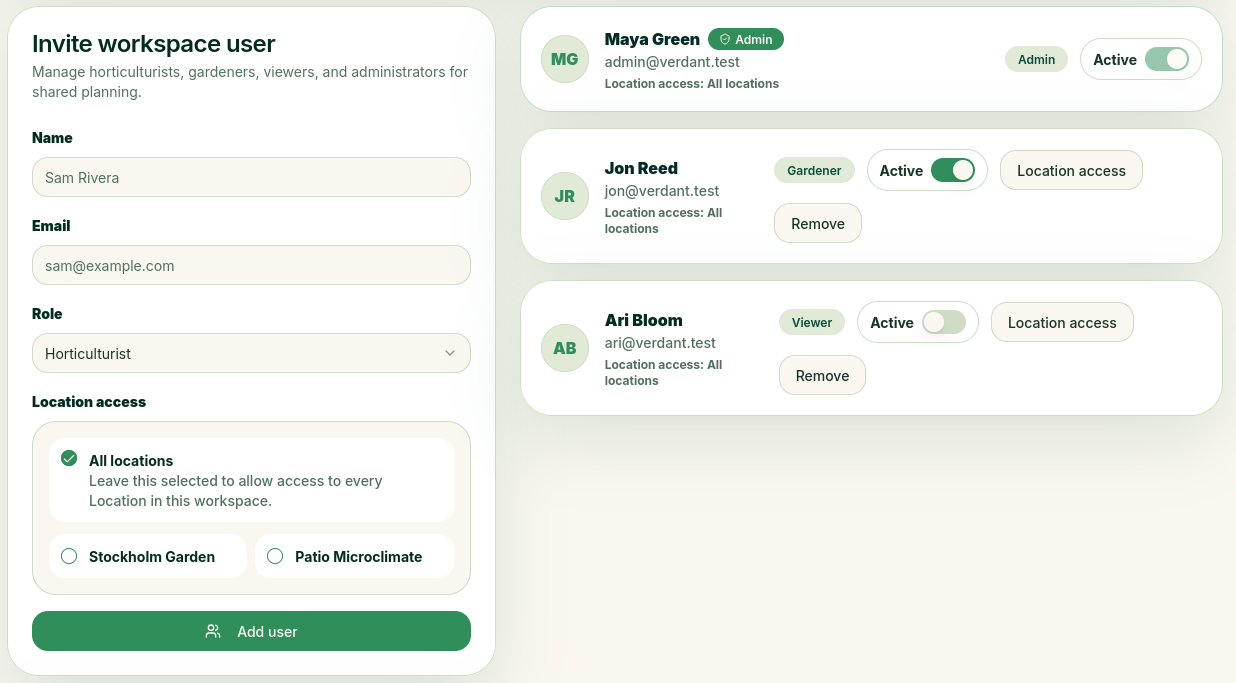
If, on the other hand, the person does not have an account, they will receive an email inviting them to join, along with a unique link that allows them to register first. Be sure to select the correct permission level for the person you want to invite.
If you also have the appropriate permission, you can remove users from the workspace.
Assign Locations
When you invite a new user to your area, you can assign specific locations that the user will be able to access. For example, you might want this user to be able to access only the plants you have at home, or perhaps at your vacation home. The user will then not have access to the other locations.
For example, let's say you have two locations: one called "My Home" and one called "In the Country." If you set the user's access to "My Home" only, they will only be able to view all areas that belong to "My Home," create schedules for items belonging to "My Home," and so on. However, only you will have access to items belonging to "In the Country."