Other settings
Other settings you might want to configure before you start using the app include locations, workspace settings, and more. We'll go over these in the "Settings" section.
Workspace Nickname
The nickname is for your workspace. When you invite someone to your workspace or are invited to someone else’s, you can switch between your own workspace and theirs. And when they’re created, they don’t have very catchy names, so you can give them a short nickname to make it easy to see which workspace to switch to.
Purchase List & Inventory
Here you can set whether you want inventory items on the purchase list to be automatically recorded in the inventory with the specified quantity when they are marked as picked.
Locations
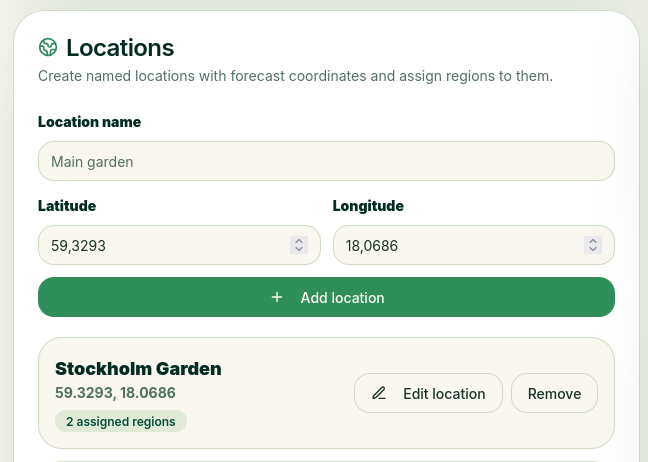 Locations can be your home, your vacation home, your garden plot, etc.
If you link coordinates to your locations, you’ll be able to view weather reports for those areas. In addition, the automatic rain and heat alerts can notify you if it’s raining heavily or if it’s too hot, so you’ll need to water your plants more often.
Once you’ve added your locations, you can create growing areas within them under “Areas” in the menu.
Area Types
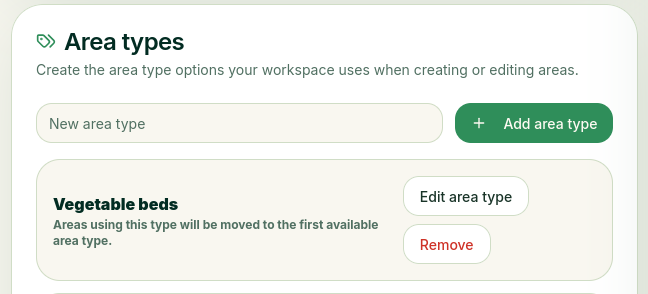 Area types are the spaces where you grow your plants. They’re used when you create a new area. Examples include a greenhouse, a flower box, and more. We’ve created a few examples for you to get started with, if you’d like.
Area Settings
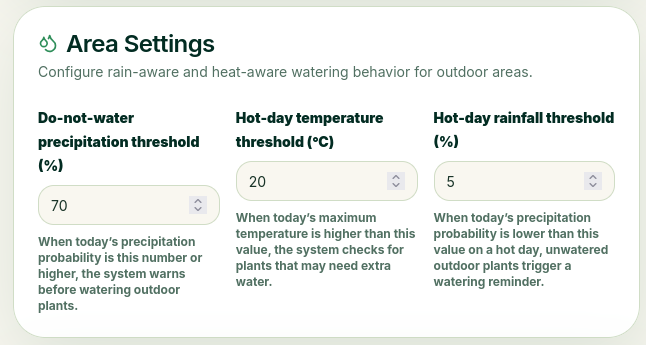 Here, you can set the thresholds for automatic alerts in case of rain or excessive heat. For rain, set a precipitation threshold that the system will use as a basis. For example, if you set it to 70, the daily forecast indicates a 70% chance of rain, so if the precipitation exceeds that value, the system will notify you that you may not need to water today.
For hot days, you set the temperature threshold. If it’s set to 24 degrees, the system will alert you about additional watering when the forecast calls for 24 degrees or higher. But this only happens if the precipitation threshold for hot days is set. So if you set it to 2, the system will only alert you if the forecast predicts a 2% chance of rain.
Growth Recognition Algorithms
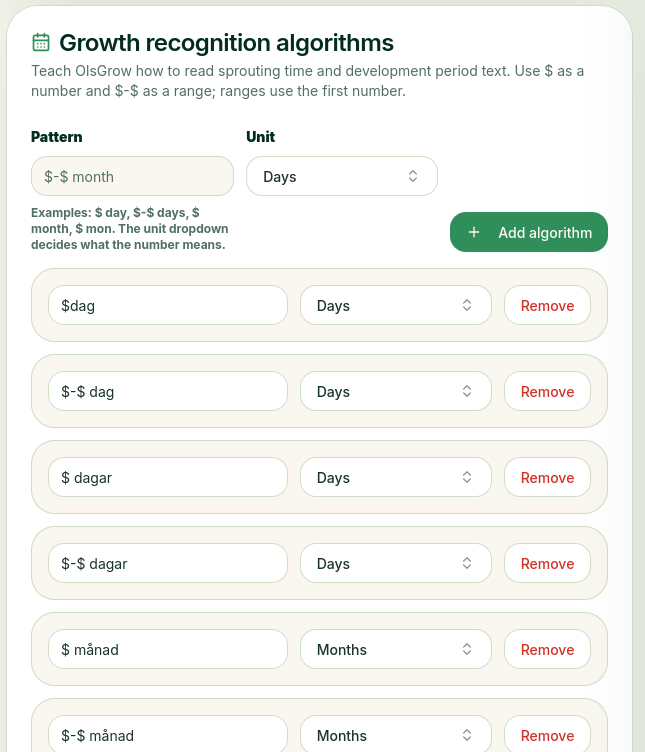 Algorithms are used to interpret sprouting time and development period. Since these can be written in different ways, OlsGrow needs to be able to distinguish between numbers and whether they represent days, months, or years. Here, you can add all the different combinations that should be allowed. The $ symbol indicates that it’s a number; then you select whether it refers to a day, month, or year. For example, if you enter “2–5 months,” select “months,” and OlsGrow will recognize that it’s months and use that to calculate an estimated date.
Backups
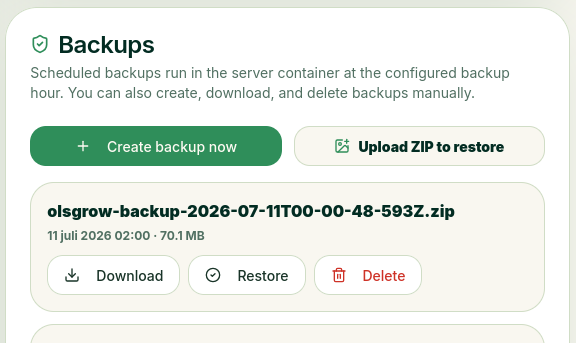 Backups are created automatically at set intervals, but here, as an admin (only you have access to this section), you can download the backups that have been created or restore an old backup.